

How It Works.
From scattered proof to winning disputes
Resources
Automatically collect, structure, and export evidence — built for how disputes are actually evaluated.
Automatically collect, structure, and export evidence — built for how disputes are actually evaluated.
When a dispute hits Stripe or Shopify Payments, you need to respond fast — with clear, structured evidence.
When a dispute hits Stripe or Shopify Payments, you need to respond fast — with clear, structured evidence.
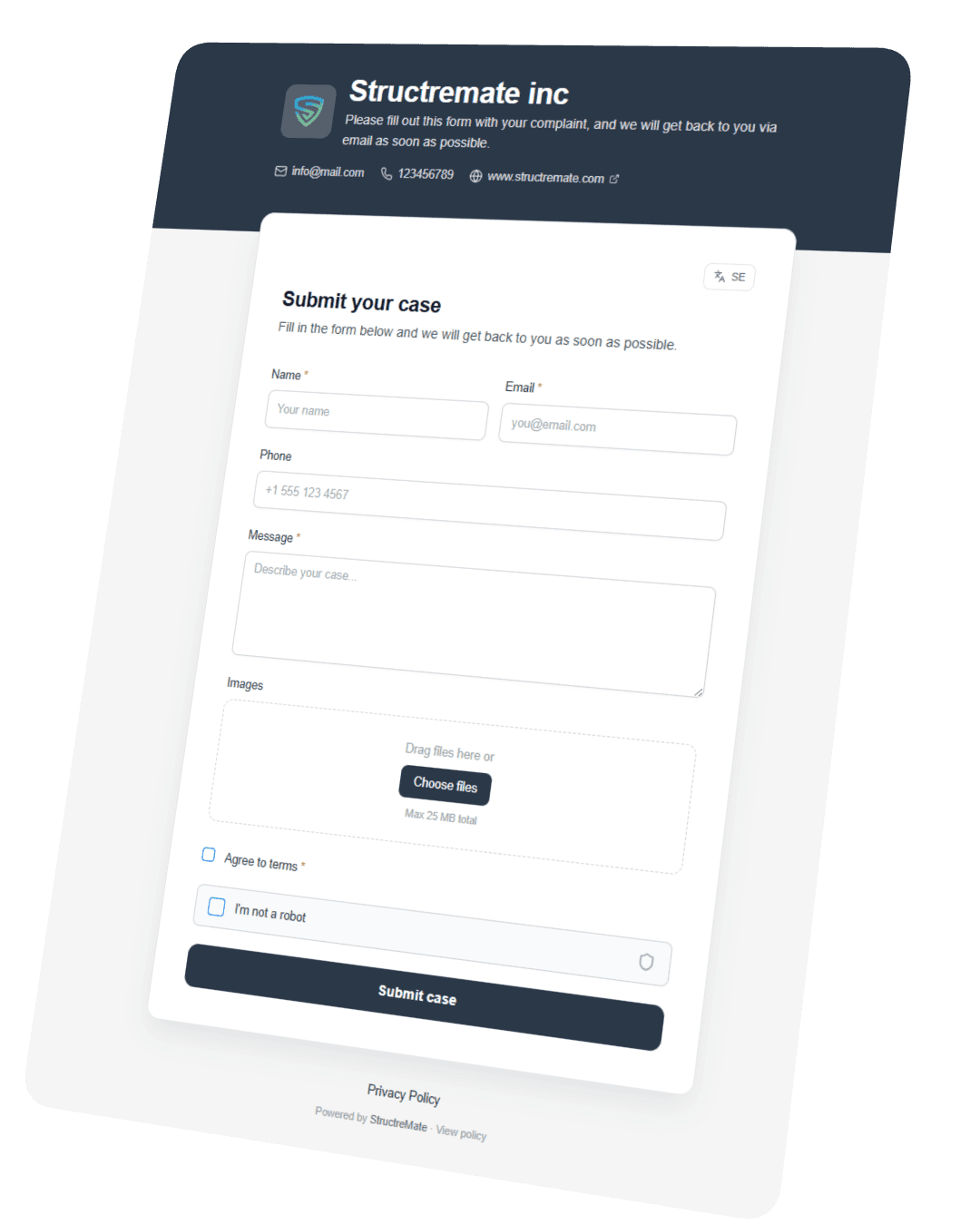
Capture evidence from the start
Capture evidence from the start
Build custom forms to meet legal standards for reporting and documentation, making evidence collection straightforward.
Build custom forms to meet legal standards for reporting and documentation, making evidence collection straightforward.
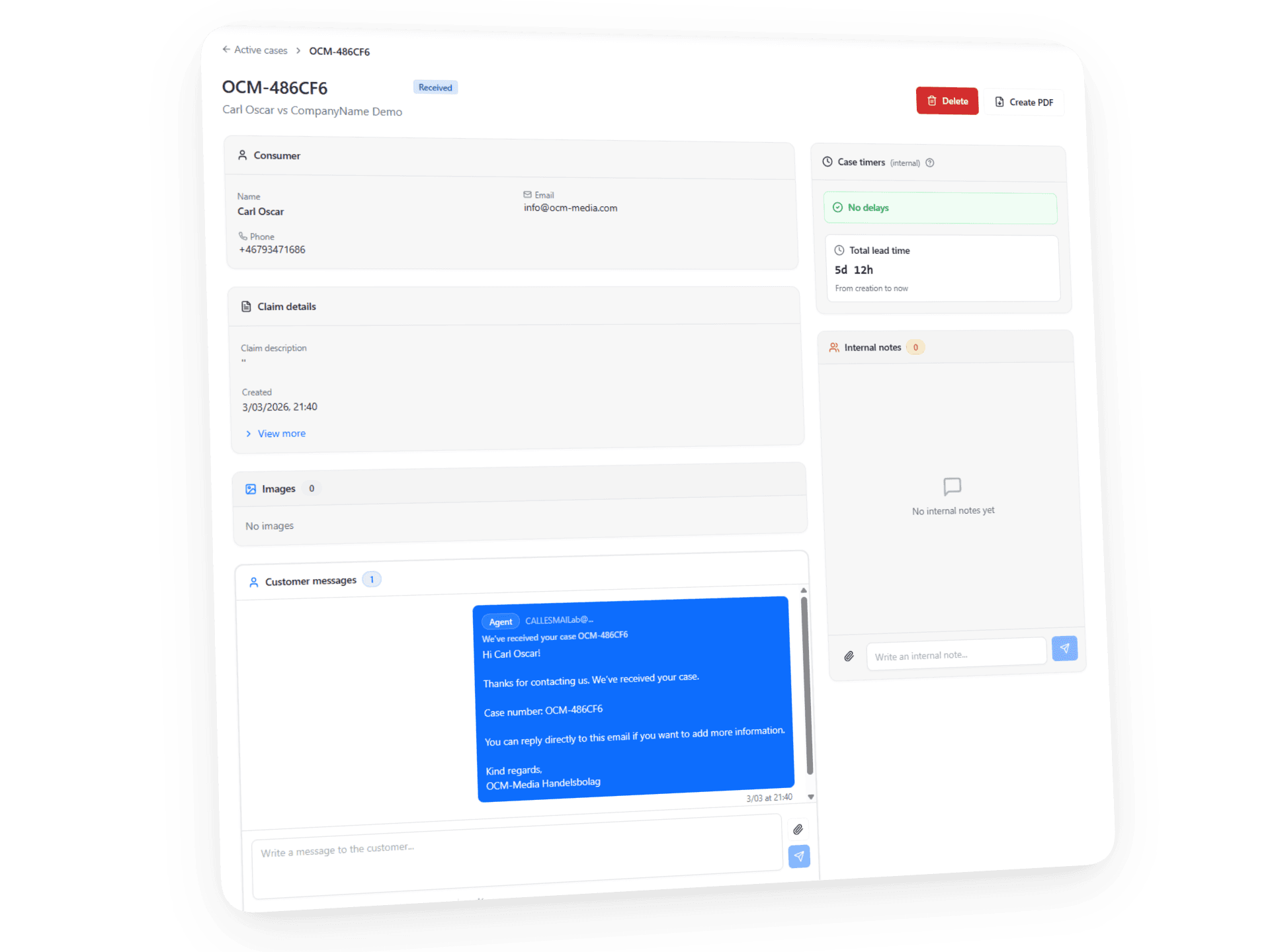
Structure your evidence into a real case
Structure your evidence into a real case
Combine messages, delivery, and customer activity into one clear timeline — built for dispute review.
Combine messages, delivery, and customer activity into one clear timeline — built for dispute review.
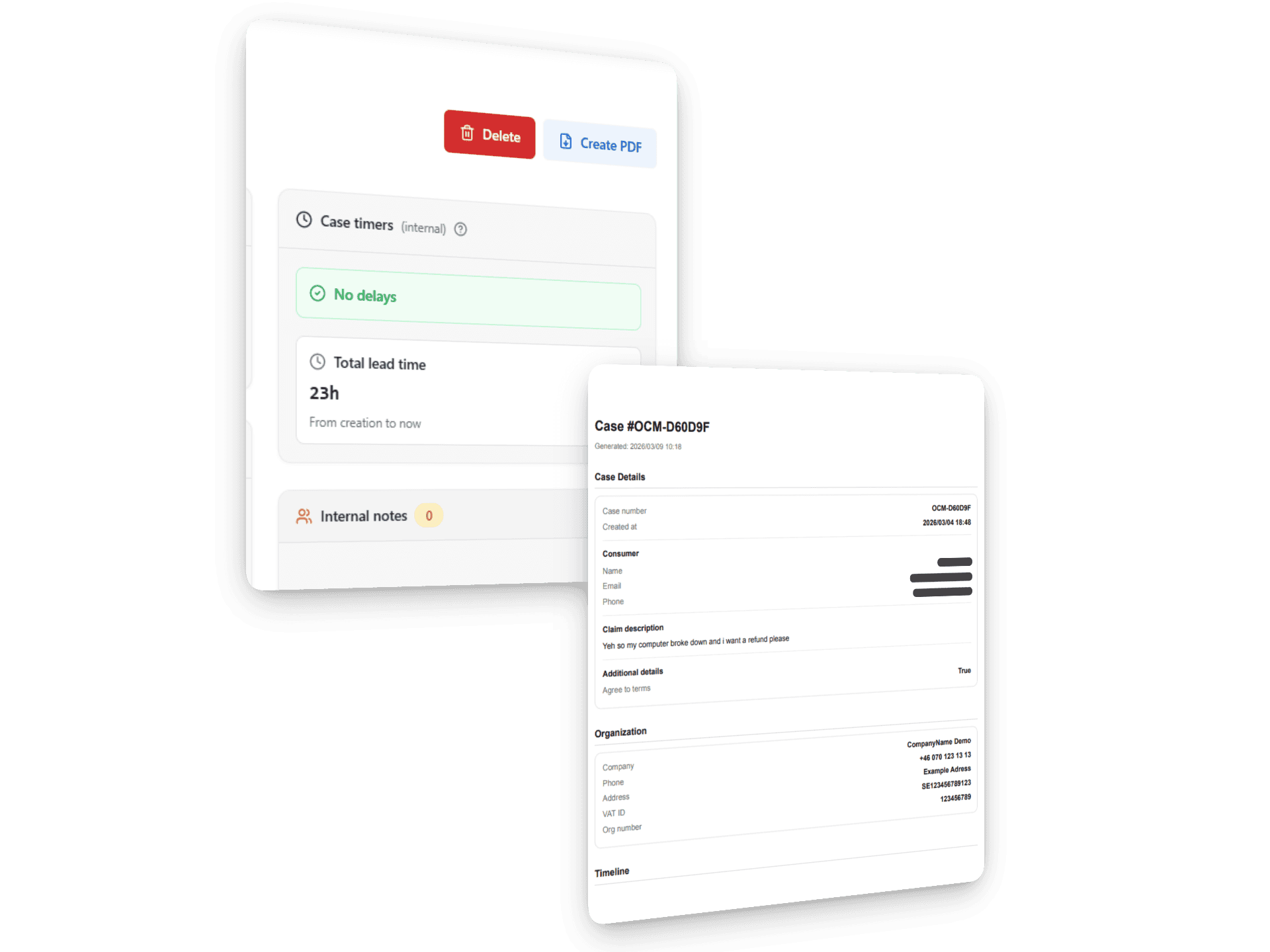
Turn your evidence into a winning case
Turn your evidence into a winning case
Export a structured timeline with all evidence — ready for dispute review and decision-making.
Export a structured timeline with all evidence — ready for dispute review and decision-making.
Fast onboarding
PDF records
Team roles
Legal defense
RESOURCES
RESOURCES
Guides & Documentation
Guides & Documentation
Getting started
Organization Setup
Team Member Management
Subscription Management
Creating a Support Page
Email Management
PDF Management
Ai Features
Getting started
1
Create your account
Visit structremate.com and click "Get Started". Enter your name, email and business name. You'll receive a confirmation email to verify your account
2
Log In & Explore the Dashboard
After logging in you land on the Projects page. This is your central hub where every customer case is displayed as a card showing status, risk level, and lead time.
3
Navigate the Interface
Use the left sidebar to switch between Projects, Organization Settings, and Support Page Settings. The top bar gives you search, notifications, and quick access to your account.
4
Open Your First Case
Click any project card to open the detailed view. Here you'll find customer messages, internal notes, case metadata, timers, and the ability to export documentation.
Getting started
Organization Setup
Team Member Management
Subscription Management
Creating a Support Page
Email Management
PDF Management
Ai Features
Getting started
1
Create your account
Visit structremate.com and click "Get Started". Enter your name, email and business name. You'll receive a confirmation email to verify your account
2
Log In & Explore the Dashboard
After logging in you land on the Projects page. This is your central hub where every customer case is displayed as a card showing status, risk level, and lead time.
3
Navigate the Interface
Use the left sidebar to switch between Projects, Organization Settings, and Support Page Settings. The top bar gives you search, notifications, and quick access to your account.
4
Open Your First Case
Click any project card to open the detailed view. Here you'll find customer messages, internal notes, case metadata, timers, and the ability to export documentation.

contact@structremate.com
contact@structremate.com
contact@structremate.com